 Dime Dime Baby
Hand Groove: Make a Dime Dime Baby Video with Expressive Gestures
A guide to choosing clear hands, open framing, and a suitable photo for the Hand Groove dance template.
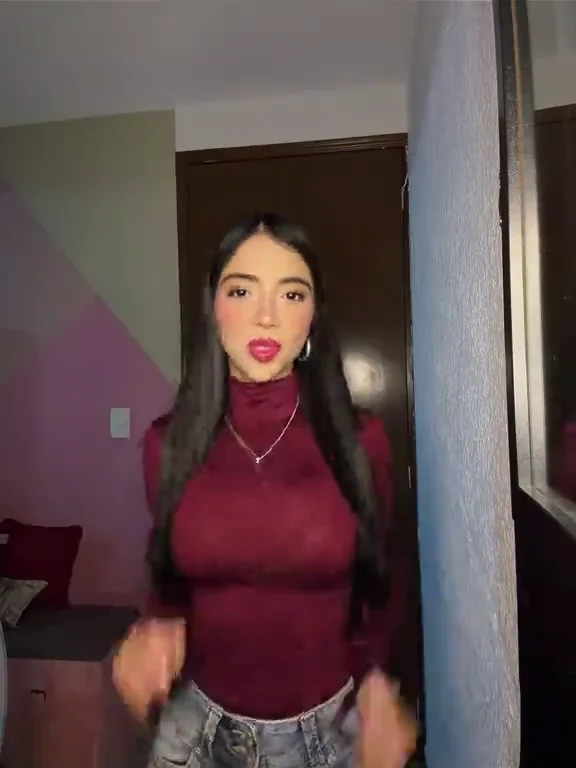
Hand Groove puts expressive gestures at the center of a Dime Dime Baby dance. It is a useful option when you prefer playful hand movement and a gentle sway to a routine defined mainly by larger body motion. Because hands are visually complicated, this template also rewards careful photo selection and a patient review of the complete output. The process stays simple: one photograph, one selected reference, and one generation request.
Watch the shape of each gesture
Before uploading, choose Hand Groove and play the reference. Look at when the hands rise, how far the arms extend, and how the upper body supports those gestures. Pay attention to the space around the head and shoulders. This tells you more about a suitable source image than judging the reference only by its expression or background.
The sample demonstrates the movement direction and is not a result generated by this service from your photo. During generation, the system uses your image for appearance and the selected video for motion. It may change expressions, hand shapes, posture, or timing. No template can guarantee exact finger positions or a frame-for-frame reproduction of the reference performance.
Choose an unobstructed photograph
Use a clear photo of one consenting adult. A vertical full-body image is a sensible starting point, with the face visible and the arms distinguishable from the torso. If the source photograph already includes hands, choose one where they are not obscured by a phone, a drink, a bag, or another person. Avoid heavy editing that blurs the fingers or removes detail from the wrists.
Keep some empty space around the shoulders and head. A crop that ends directly beside the face may look tidy as a portrait, but it gives little visual room for a gesture near the head. Simple clothing and a straightforward background can also make the resulting movement easier to assess, although they do not guarantee a better generation.
Upload a JPG, PNG, or WebP file up to 10 MB. You do not need to add arrows, draw a pose, or place text on the photograph. The template already supplies a movement reference, while your upload should remain a clear representation of the person you have permission to animate.
Follow the generator’s selection flow
Open the generator, upload your image, and select Hand Groove in the left-hand controls. Check the reference player on the right. Switching between templates changes the movement video that will be submitted with your photo, so settle on the routine you want before starting the task.
Confirm the photo permission statement and sign in. Each generation costs one application credit and currently creates a 15-second, 720p, vertical 9:16 MP4. The same cost applies to Hand Groove and the other available templates. There is no separate model choice to make on the homepage.
Once submitted, let the task process. Queue conditions can affect the wait, and your task remains available in My Videos. If checking the status fails temporarily, retry the check rather than submitting another generation immediately. Confirmed failed jobs return their consumed credit; choosing to generate again after a completed result uses another credit.
Inspect hands during motion
Review the full result instead of evaluating a still thumbnail. With Hand Groove, watch the hands as they rise, turn, cross the body, and move near the face. Check whether their shape remains coherent and whether the wrist connects naturally to the arm. Also look for unexpected changes in sleeves, accessories, or facial features during gestures.
AI-generated anatomy can vary, and fingers are worth inspecting closely before sharing. If a result is unsuitable, consider a different photo with clearer arms and fewer overlapping objects. Do not assume a second attempt will preserve the first attempt’s best details: each generation creates a new interpretation of the source and reference.
Add captions and sound thoughtfully
When preparing a social post, keep added text away from the moving hands. A caption positioned near the shoulders might overlap a gesture later in the clip, even if it looks clear at the beginning. Preview the entire video inside the posting app to check both movement and interface overlays.
Template previews include their original sound when you press play. The generator uses a separate silent copy for movement guidance, then merges the matching template soundtrack into the finished MP4. Play the completed video from beginning to end to check its sound and movement before posting. The audio is not submitted to the video model. Music permissions remain separate from this technical process; check the rules of your destination platform before publishing.
Keep the joke considerate
Hand Groove is a creative tool for playful clips, not proof that someone performed a real action. Only animate adults who agree to it, avoid minors and public figures, and identify the output as AI-generated when sharing. A simple, friendly caption often gives the result enough context without overexplaining the technology. Choose a performance the subject would be comfortable seeing in the group chat, then let the gestures carry the joke.